AutoChop AI: Automated Video Post-Production & Whisper Studio
Automated video post-production studio executing dead-air stripping, faster-whisper speech recognition, styled social subtitles, and multi-provider LLM YouTube chapters.
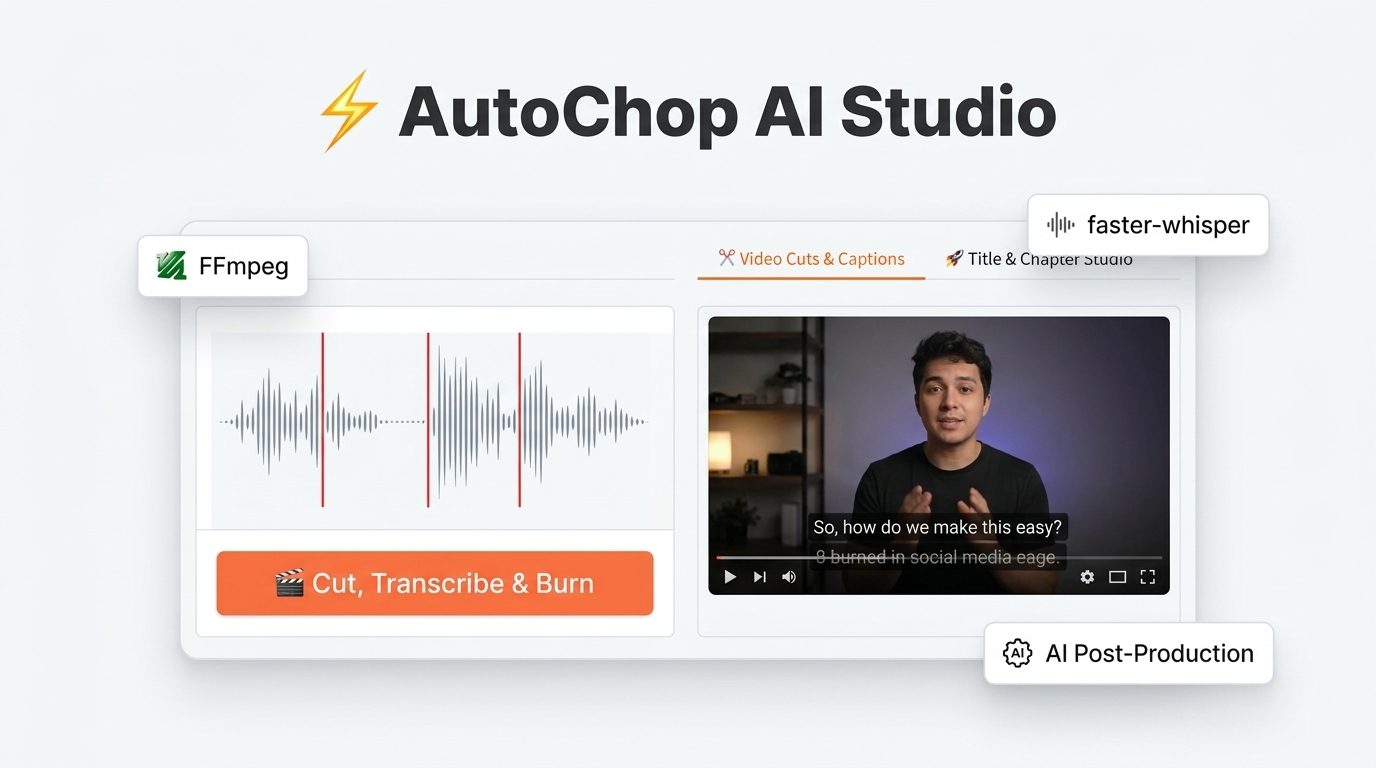
Detailed Engineering Specification & Product README
⚡ AutoChop AI Studio (v2)



-orange.svg)


📑 Table of Contents
- Overview & Problem Statement
- Key Features & Capabilities
- Architecture & Pipeline Flow
- Tech Stack & Package Usage
- Installation & Prerequisites
- Step-by-Step Usage Guide
- Tunable Parameters & Configuration
- Testing & Quality Assurance
- Multi-Provider AI Hub & Offline Heuristics
- Troubleshooting & FAQs
- Security & Privacy
- Acknowledgements & License
🎯 Overview & Problem Statement
Every content creator, video editor, and educator faces the exact same mechanical barrier: the first three hours of the edit.
Before any creative storytelling can occur, creators must:
- Scrub through long raw recordings to manually slice out awkward pauses, "ums", and silences.
- Transcribe audio word-for-word and align subtitle timestamps.
- Format and position high-contrast captions suitable for mobile viewers.
- Listen back through the video to write YouTube chapter markers and SEO descriptions.
Existing cloud-based video editing SaaS tools charge expensive monthly subscription fees, enforce strict upload file size quotas, and compromise privacy by sending unreleased video footage to remote servers.
AutoChop AI Studio is a local-first, privacy-preserving, high-throughput automated post-production workstation. Powered by FFmpeg, faster-whisper (CTranslate2), and a responsive Gradio Studio UI, AutoChop automates this entire manual workflow on your machine in under 30 seconds.
✨ Key Features & Capabilities
1. ✂️ Intelligent Dead-Air Stripping
- Two-Pass Decibel Thresholding: Analyzes raw audio via FFmpeg's
silencedetectfilter to locate pauses below a configurable threshold (default:-30dB). - Mathematical Boundary Padding: Inverts silence intervals into speech takes with safe onset and decay buffers ($\delta_{\text{pad}} = 0.15\text{s}$), ensuring opening and ending consonants (like 'p', 't', 'k') are never clipped.
- Micro-Pause Retention: Pauses shorter than $0.2\text{s}$ are preserved as natural breathing rhythms so speech never sounds robotic or artificially rushed.
- Short Noise Artifact Rejection: Discards transient clicks, mic bumps, and coughing artifacts shorter than $0.1\text{s}$.
2. 🎙️ High-Speed On-Device Speech Recognition
- CTranslate2 Optimization: Powered by
faster-whisperwith 8-bit quantization (int8), delivering up to 4x faster execution than OpenAI's vanilla Whisper model while reducing RAM usage by 60%. - Silero VAD Filtering: Integrated Voice Activity Detection filters out non-speech background hum prior to ASR inference.
- Relative Timestamp Rebasing: Automatically rebases global transcript timestamps relative to each sliced take ($00:00.000$), generating individual, ready-to-use
.srtfiles for every cut.
3. 🎨 High-Contrast Styled Subtitle Burning
- Advanced SubStation Alpha (ASS) Engine: Hardcodes crisp, styled social captions directly into video slices using libass.
- Resolution-Adaptive Coordinate Matrices: Dynamically calculates
PlayResXandPlayResYcoordinate matrices to ensure pixel-perfect subtitle scaling across widescreen (16:9), vertical phone reels (9:16), and square (1:1) formats. - Creator Presets:
- TikTok Yellow Box: High-impact yellow fill (
#FFE600) with rounded dark background box, black outline, and bold drop shadow. - Clean Minimalist: Subtle semi-transparent dark backing box with crisp white text.
- High-Contrast White: Clean white font with thick black outline and strong shadow.
- TikTok Yellow Box: High-impact yellow fill (
4. 🎞️ Keyframe-Accurate Slicing & Master Assembly
- Zero-Transcode Concat Demuxer: Concatenates all active speech takes into a master rough cut at disk I/O speeds using FFmpeg's stream copy demuxer.
- A/V Sync Drift Protection: Enforces 44.1kHz audio normalization and resets presentation timestamps (
setpts=PTS-STARTPTS,asetpts=PTS-STARTPTS) on each slice to prevent lip-sync drift. - Auto-Re-encode Fallback: If input footage contains non-uniform codecs or variable frame rates, the pipeline seamlessly falls back to an encoded
filter_complexconcatenation to guarantee output playback.
5. 🚀 AI Metadata & YouTube Chapter Studio
- Multi-Provider AI Hub: Connects to OpenAI, NVIDIA NIM, Google Gemini, Anthropic Claude, Groq, Grok (xAI), or custom self-hosted endpoints (e.g. Ollama, OpenCode).
- 100% Offline Heuristic Engine: Includes a zero-key local fallback that mathematically analyzes the transcript to produce compliant chapters and copy even without an internet connection or API keys.
- YouTube Chapter Compliance: Strictly guarantees YouTube's algorithm requirements:
- First chapter always starts at
00:00. - Minimum of 3 distinct timestamped chapters.
- Each chapter spans at least 10 seconds.
- First chapter always starts at
- Full Metadata Suite: Generates 5 high-CTR click-worthy titles, a 2-sentence description hook, structured chapters, and comma-separated SEO tags.
6. 📦 One-Click Creator Bundle Export
- Compiles the entire session into a downloadable
.ziparchive containing:master_rough_cut.mp4: Complete assembled jump-cut video.takes/: Individual numbered video takes (take_001.mp4,take_002.mp4, ...).subtitles/: Time-aligned.srtfiles for every take and the master video.edit_manifest.md: Comprehensive GitHub Markdown manifest detailing take durations, timestamps, and cut statistics.
7. 📱 9:16 Vertical Shorts & Multi-Platform Social Publisher
- Vertical Re-framing Engine (1080x1920): Converts landscape or square cuts into vertical mobile video with 3 algorithmic framing styles:
- Blurred Background (Recommended): High-aesthetic blurred video background with 100% visible, centered foreground footage (standard for high-end podcasts and vlogs).
- Smart Center Crop: Crops tight into the 9:16 action center.
- Letterbox: Clean pillar/letterboxing with uniform aspect ratio maintenance.
- Mobile UI Safe-Zone Subtitle Positioning: Positions ASS subtitles in the safe vertical reading window (
MarginV=420), avoiding lower-screen UI obstructions (TikTok caption area, sound tickers, user handles) and right-side action buttons (likes, comments, share). - Tailored Social Copy & Character Limits:
- YouTube Shorts: 60-second duration compliance check, automated
#Shortstitle tags. - TikTok: Automated
#fyp #viraltags, 2,200-character caption limits, sound ticker notes. - Instagram Reels: 90-second duration validation, hashtag spacing, clean mobile captions.
- X (Twitter): Strict 280-character maximum hook validation with hashtag truncation.
- LinkedIn: Executive takeaways formatting with professional key bullet points.
- YouTube Shorts: 60-second duration compliance check, automated
- 1-Click Platform Kits (.zip): Exports a creator package with the vertical
.mp4video and dedicated formatted.txtfiles for every platform. - Direct API Publisher: Connects to YouTube Data API, TikTok Content Posting API, Instagram Graph API, Twitter API v2, and LinkedIn UGC API with interactive sandbox/live deployment reporting.
🏗️ Architecture & Pipeline Flow
autochop/
├── app.py                  # Gradio Blocks UI (4 Tabs, custom studio theme & CSS)
├── config.py               # Constants, defaults, ASS presets, social platform rules
├── core/
│   ├── audio.py            # Module 1: duration probing, 16kHz WAV extraction, silence inversion
│   ├── transcription.py    # Module 2: faster-whisper worker, SRT rebasing, ASS burning
│   ├── assembly.py         # Module 3: take slicing, concat demuxer, markdown manifest, zip bundle
│   ├── metadata.py         # Module 4: multi-provider AI hub & zero-key heuristic chapter generator
│   ├── shorts.py           # Module 5: 9:16 vertical shorts generator with safe-zone subtitles
│   └── social/             # Module 6: multi-platform connectors & publishing manager
│       ├── base.py         # Base connector interface & data payloads
│       ├── youtube_shorts.py # YouTube Shorts connector & 60s validation
│       ├── tiktok.py       # TikTok connector & 2200-char caption limits
│       ├── instagram.py    # Instagram Reels connector & 90s validation
│       ├── twitter.py      # X (Twitter) connector & 280-char hook limits
│       ├── linkedin.py     # LinkedIn connector & professional formatting
│       └── manager.py      # SocialPublishManager & 1-click platform kit exporter
├── utils/
│   ├── env_utils.py        # Secure .env persistence and social/LLM key validation
│   ├── ffmpeg_utils.py     # Binary verification, subprocess executor, path escaping
│   └── file_utils.py       # Session-scoped temp directories and zip packager
├── tests/                  # Complete test suite (30 unit & integration tests)
│   ├── test_assembly.py    # Manifest and concatenation verification
│   ├── test_audio.py       # Silence detection and boundary padding tests
│   ├── test_integration.py # End-to-end synthetic video pipeline tests
│   ├── test_metadata.py    # AI and heuristic YouTube chapters tests
│   ├── test_shorts.py      # 9:16 vertical re-framing and safe-zone subtitle tests
│   ├── test_social.py      # Multi-platform payload formatting and ZIP kit tests
│   └── test_transcription.py # SRT rebasing and ASS subtitle burning tests
├── assets/                 # Brand thumbnails, hero banners, and media assets
├── requirements.txt        # Production dependencies
├── pyproject.toml          # Project configuration and metadata
├── .env.example            # Environment template (API keys strictly excluded)
└── LICENSE                 # Official MIT License
Media Pipeline Flowchart
flowchart TD
    A[Raw Video Footage] --> B[FFmpeg Audio Extraction: 16kHz Mono WAV]
    B --> C[silencedetect Filter Analysis]
    C --> D[Active Speech Calculation & Boundary Padding]
    D --> E[Take Slicing: take_001.mp4 ... take_N.mp4]
    B --> F[faster-whisper CTranslate2 ASR]
    F --> G[Word-Aligned Master Transcript]
    G --> H[Relative-Timestamp SRT Rebasing]
    E & H --> I[ASS Styled Subtitle Burning]
    I --> J[Stream Copy Concat Demuxer]
    J --> K[Master Jump-Cut Rough Video]
    G --> L[Metadata Studio: Multi-Provider LLM / Heuristic]
    L --> M[Titles, Description, Chapters & SEO Tags]
    I & K & M --> N[📦 Complete Creator Project Bundle .zip]
💻 Tech Stack & Package Usage
AutoChop AI Studio is engineered using modern, production-grade Python libraries and multimedia utilities. Below is a comprehensive breakdown of each technology, its architectural purpose, and how it is implemented in the codebase.
📊 Tech Stack Overview
| Category | Technology / Package | Version | Architectural Purpose |
|---|---|---|---|
| Media Processing | FFmpeg / FFprobe |
$\ge 5.0$ | Silence detection, audio extraction, keyframe slicing, concat demuxing, ASS subtitle burning |
| Speech Recognition | faster-whisper |
$\ge 1.0.0$ | CTranslate2-accelerated Whisper transcription with Silero VAD filtering |
| Web Interface | gradio |
$\ge 4.0.0$ | Interactive Blocks studio, video streaming, reactive state, custom UI theme |
| Universal AI Adapter | openai |
$\ge 1.30.0$ | Universal OpenAI-compatible inference for OpenAI, NVIDIA NIM, Groq, xAI Grok, and Ollama |
| Gemini AI Engine | google-genai |
$\ge 0.3.0$ | Native Google Gemini 1.5 Flash and Pro API integration |
| Anthropic AI Engine | anthropic |
$\ge 1.0.0$ | Native Claude 3.5 Sonnet and Haiku API integration |
| Data Validation | pydantic |
$\ge 2.0.0$ | Metadata schema enforcement, chapter time formatting, and JSON validation |
| Secrets & Security | python-dotenv / cryptography |
$\ge 1.0.0$ | Local .env credential persistence and in-memory key encryption |
| Testing & QA | pytest |
$\ge 8.0.0$ | Automated test suite with synthetic audio/video generation fixtures |
📦 Package-by-Package Deep Dive & Code Usage
1. faster-whisper (Fast Speech-to-Text with CTranslate2)
- Why It's Used: Standard Whisper can be slow and memory-intensive on CPU.
faster-whisperuses CTranslate2 withint8quantization to deliver up to 4x faster execution with 60% less RAM, making it suitable for local creator workflows without dedicated GPUs. - How It's Used in AutoChop:
from faster_whisper import WhisperModel

# Initialize model on CPU with int8 quantization (model weights are cached locally)
model = WhisperModel(model_size_or_path="base", device="cpu", compute_type="int8")

# Transcribe 16kHz audio with Silero Voice Activity Detection (VAD) filter
segments, info = model.transcribe(
    audio="session_audio.wav",
    beam_size=5,
    word_timestamps=True,
    vad_filter=True,
    vad_parameters=dict(min_silence_duration_ms=500),
)

# Extract word-level timestamps for subtitle alignment
for segment in segments:
    print(f"[{segment.start:.2f}s -> {segment.end:.2f}s] {segment.text}")
2. gradio (Modern Reactive Web Application)
- Why It's Used: Provides a reactive web GUI with built-in video players, sliders, file dropzones, tabs, and client-side clipboard actions without needing a complex Node.js/React build setup.
- How It's Used in AutoChop:
import gradio as gr

# Custom Studio Theme tokens matching the light minimalist aesthetic
STUDIO_THEME = gr.themes.Default(primary_hue="orange", neutral_hue="slate").set(
    body_background_fill="#f8fafc",
    block_background_fill="#ffffff",
    button_primary_background_fill="linear-gradient(135deg, #ff6b2b 0%, #ea580c 100%)",
)

with gr.Blocks(title="AutoChop AI Studio", theme=STUDIO_THEME, css=CUSTOM_CSS) as demo:
    # Session-scoped state across tabs
    state_takes = gr.State({})
    state_transcript = gr.State("")

    with gr.Tabs():
        with gr.TabItem("✂️ Video Cuts & Captions"):
            input_video = gr.Video(label="Upload Raw Video", sources=["upload"])
            btn_process = gr.Button("🎬 Cut, Transcribe & Burn", variant="primary")
            out_master = gr.Video(label="Master Jump-Cut Rough Video")

    # Wire reactive processing event
    btn_process.click(
        fn=process_video_pipeline,
        inputs=[input_video],
        outputs=[out_master, state_takes, state_transcript],
    )
3. FFmpeg & FFprobe (Multimedia Processing Engine)
- Why It's Used: Industry-standard binary engine for high-performance audio waveform analysis, zero-loss stream copy concatenation, and ASS subtitle burning.
- How It's Used in AutoChop:
- Silence Detection Filter (
silencedetect):ffmpeg -i input.wav -af "silencedetect=noise=-30dB:d=0.5" -f null - - Fast Take Slicing with PTS Reset:
ffmpeg -y -ss 00:01:12.500 -to 00:01:25.800 -i raw_footage.mp4 \ -vf "setpts=PTS-STARTPTS" -af "asetpts=PTS-STARTPTS" \ -c:v libx264 -preset veryfast -crf 20 -c:a aac take_001.mp4 - High-Contrast Subtitle Burning (
libass):ffmpeg -y -i take_001.mp4 -vf "ass=subtitles.ass" -c:a copy take_001_burned.mp4 - Zero-Transcode Master Jump-Cut Concatenation:
ffmpeg -y -f concat -safe 0 -i concat_manifest.txt -c copy master_rough_cut.mp4
- Silence Detection Filter (
4. openai (Universal AI & Inference Client)
- Why It's Used: Serves as a universal standard adapter that connects not only to OpenAI, but also to NVIDIA NIM, Groq Cloud, xAI Grok, Ollama, and OpenCode by changing only the
base_urlandapi_key. - How It's Used in AutoChop:
from openai import OpenAI

# Example: Connecting to NVIDIA NIM Microservices
client = OpenAI(
    base_url="https://integrate.api.nvidia.com/v1",
    api_key="nvapi-your-key-here",
)

response = client.chat.completions.create(
    model="meta/llama-3.3-70b-instruct",
    messages=[
        {"role": "system", "content": "You are a professional YouTube post-production metadata strategist."},
        {"role": "user", "content": f"Generate 5 CTR titles and chapters for this transcript:\n\n{transcript}"},
    ],
    response_format={"type": "json_object"},
    temperature=0.7,
)
metadata = response.choices[0].message.content
5. google-genai (Google Gemini 1.5 Flash & Pro)
- Why It's Used: Provides high-token-context analysis for long, multi-hour video transcripts using Gemini 1.5's massive context window.
- How It's Used in AutoChop:
from google import genai

client = genai.Client(api_key="AIzaSy...")

response = client.models.generate_content(
    model="gemini-1.5-flash",
    contents=f"Generate YouTube title options and chapters for:\n{transcript}",
)
print(response.text)
6. anthropic (Anthropic Claude 3.5 Sonnet / Haiku)
- Why It's Used: Renowned for nuanced, non-cliché copywriting and high-converting YouTube video titles and description hooks.
- How It's Used in AutoChop:
import anthropic

client = anthropic.Anthropic(api_key="sk-ant-...")

message = client.messages.create(
    model="claude-3-5-sonnet-latest",
    max_tokens=1024,
    system="You are an elite YouTube editor and copywriter.",
    messages=[{"role": "user", "content": f"Create metadata for:\n{transcript}"}],
)
print(message.content[0].text)
7. pydantic (Data Validation & Schema Enforcement)
- Why It's Used: Guarantees that AI-generated responses strictly conform to required fields (e.g., exactly 5 titles, valid chapter format) before being returned to the UI.
- How It's Used in AutoChop:
from pydantic import BaseModel, Field

class YouTubeMetadataSchema(BaseModel):
    titles: list[str] = Field(..., min_length=5, description="5 high-CTR video title options")
    hook_description: str = Field(..., description="2-sentence description hook")
    chapters: list[str] = Field(..., description="Timestamped YouTube chapters starting at 00:00")
    tags: list[str] = Field(..., description="SEO comma-separated tags")

# Validate incoming raw JSON string
validated = YouTubeMetadataSchema.model_validate_json(raw_ai_json)
8. python-dotenv & cryptography (Secrets Protection)
- Why It's Used: Ensures API keys are saved locally on disk in
.envacross browser restarts while strictly protecting keys from accidental Git exposure via.gitignore. - How It's Used in AutoChop:
from dotenv import load_dotenv, set_key
from pathlib import Path

# Load existing keys from local .env
env_path = Path(".env")
load_dotenv(dotenv_path=env_path)

# Securely save or update an API key in .env
def save_provider_key(provider_key_name: str, key_value: str):
    if not env_path.exists():
        env_path.touch(mode=0o600)  # User read/write only permissions
    set_key(str(env_path), provider_key_name, key_value)
9. pytest (Automated Synthetic Testing Suite)
- Why It's Used: Provides automated regression testing without needing manual video uploads by synthesizing test videos programmatically through FFmpeg's
testsrcandsinefilters. - How It's Used in AutoChop:
import pytest
import subprocess

@pytest.fixture
def synthetic_video(tmp_path):
    """Generates a 6-second video with calibrated audio beeps and silences."""
    video_path = tmp_path / "synthetic_test.mp4"
    cmd = [
        "ffmpeg", "-y",
        "-f", "lavfi", "-i", "testsrc=duration=6:size=320x240:rate=30",
        "-f", "lavfi", "-i", "sine=frequency=1000:duration=2",
        "-c:v", "libx264", "-c:a", "aac", str(video_path),
    ]
    subprocess.run(cmd, check=True)
    return video_path
🚀 Installation & Prerequisites
1. FFmpeg Setup
AutoChop requires ffmpeg and ffprobe ($\ge 5.0$) accessible in your system PATH.
macOS (Homebrew)
brew install ffmpeg
Ubuntu / Debian
sudo apt update && sudo apt install -y ffmpeg
Windows (winget or Chocolatey)
winget install Gyan.FFmpeg
# or
choco install ffmpeg
Verify Installation
ffmpeg -version
ffprobe -version
2. Python Environment Setup
AutoChop supports Python 3.10+ (Python 3.11 recommended).
Option A: Using uv (Recommended - Ultra Fast)
# Clone the repository
git clone https://github.com/Akubrecah/AutoChop.git
cd AutoChop

# Create and activate virtual environment
uv venv .venv --python 3.11
source .venv/bin/activate    # On Windows: .venv\Scripts\activate

# Install dependencies
uv pip install -r requirements.txt
Option B: Using standard venv & pip
git clone https://github.com/Akubrecah/AutoChop.git
cd AutoChop

python3 -m venv .venv
source .venv/bin/activate    # On Windows: .venv\Scripts\activate

pip install --upgrade pip
pip install -r requirements.txt
💻 Step-by-Step Usage Guide
Launching the Application
Run the server locally:
python app.py
Open your browser and navigate to:
http://localhost:7860
Tab 1: Video Cuts & Captions
- Upload Raw Video: Drag and drop your raw MP4, MOV, MKV, or AVI footage into the Upload Raw Video Footage box.
- Adjust Processing Settings (Optional):
- Silence Detection Threshold (dB): Set audio cutoff (default:
-30dB). For noisy environments, set closer to-25dB. - Minimum Silence Duration (s): Minimum pause length to strip (default:
0.5s). - Whisper Model: Select transcription model size (
baserecommended for fast CPU inference;smallormediumfor higher precision). - Caption Style Preset: Choose between TikTok Yellow Box, Clean Minimalist, or High-Contrast White.
- Max Output Resolution: Keep original or auto-downscale 4K recordings to 1080p/720p for 4x faster processing.
- Silence Detection Threshold (dB): Set audio cutoff (default:
- Execute: Click 🎬 Cut, Transcribe & Burn.
- Preview & Download:
- Watch the Master Jump-Cut Rough Video directly in the browser player.
- Use the Take Inspector accordion to preview individual sliced takes.
- Inspect the Edit Manifest table for cut durations and percentages.
- Click 📦 Download Complete Project Bundle (.zip) to save all takes, SRTs, and manifest files.
Tab 2: Title & Chapter Studio
- Transcript Auto-Sync: The spoken transcript generated in Tab 1 automatically populates the transcript area. You can also paste external transcripts manually.
- Select Engine: Choose your preferred generator:
Local Heuristic (No Key): 100% offline, requires no API key.OpenAI,NVIDIA NIM,Google Gemini,Anthropic Claude,Groq,Grok (xAI), orCustom Endpoint.
- Generate: Click ✨ Generate Titles, Description & Chapters.
- One-Click Copy: Use the dedicated copy buttons to instantly grab:
- 📋 5 Click-Worthy Titles
- 📋 2-Sentence Video Description Hook
- 📋 YouTube-Compliant Timestamp Chapters
- 📋 SEO Tags
Tab 3: Shorts & Social Publisher
- Select Source Footage:
- Choose
Master Rough Cut (from Tab 1)to reframe the stitched cut. - Choose
Selected Take (from Tab 1)to turn a specific bite-sized take into a short. - Or upload an external clip via
Upload Custom Video File.
- Choose
- Configure Framing & Safe Zones:
- Reframing Technique: Select
Blurred Background (Recommended),Smart Center Crop, orLetterbox. - Duration Limit: Enforce
Under 60s (YouTube Shorts & TikTok)orUnder 90s (Instagram Reels). - Mobile Safe-Zone Captions: Check to burn ASS subtitles with high-contrast mobile typography positioned above lower-third UI controls (
MarginV=420).
- Reframing Technique: Select
- Generate Short: Click 📱 Generate 9:16 Vertical Short and preview immediately in the player.
- Platform-Tailored Copywriting:
- Click 📥 Import Metadata from Tab 2 to instantly sync titles, hook, and tags.
- Select target platforms (YouTube Shorts, TikTok, Instagram Reels, X, LinkedIn).
- Click ✨ Format Copy for Selected Platforms to review app-specific previews and character counts.
- Publish or Export Kit:
- Click 🚀 Publish to Selected Social Platforms for direct API dispatch with detailed live/sandbox reporting.
- Click 📦 Download Platform Kits (.zip) for a complete package containing the vertical
.mp4, per-platform text files (youtube_shorts_copy.txt,tiktok_caption.txt, etc.), and a posting guide checklist.
Tab 4: API Keys & Provider Settings
- LLM Inference Providers: Configure and test keys for OpenAI, Google Gemini, Anthropic Claude, GroqCloud, xAI Grok, NVIDIA NIM, or Custom OpenCode/Ollama endpoints.
- Social Media Connectors: Configure OAuth tokens and API keys for YouTube Data API, TikTok Content Posting, Instagram Reels Graph API, X (Twitter) API v2, and LinkedIn UGC API.
- Save & Persist: Click individual 💾 Save buttons or 💾 Save All Keys to .env to persist credentials locally into
.envwith instant in-memory activation.
⚙️ Tunable Parameters & Configuration
All core settings can be customized in the UI or modified globally in config.py:
| Parameter | Default | Recommended Range | Description |
|---|---|---|---|
SILENCE_THRESH_DB |
-30.0 dB |
-45.0 to -20.0 dB |
Audio below this volume is flagged as dead air. |
MIN_SILENCE_SEC |
0.50 s |
0.20 to 2.00 s |
Pauses shorter than this duration are kept intact. |
PADDING_START_SEC |
0.15 s |
0.10 to 0.30 s |
Time added before active speech to preserve opening consonants. |
PADDING_END_SEC |
0.15 s |
0.10 to 0.30 s |
Time added after active speech to prevent abrupt audio cutoffs. |
MIN_SPEECH_SEC |
0.10 s |
0.05 to 0.30 s |
Noise spikes shorter than this duration are rejected. |
MERGE_GAP_SEC |
0.20 s |
0.10 to 0.40 s |
Breathing pauses between takes are merged to preserve natural flow. |
WHISPER_MODEL |
base |
tiny to large-v3 |
Model size for faster-whisper transcription engine. |
DEFAULT_SHORTS_REFRAME_MODE |
Blurred Background |
blur_bg, crop, letterbox |
9:16 vertical video re-framing algorithm. |
DEFAULT_SHORTS_DURATION_OPTION |
Under 60s |
60s, 90s, uncapped |
Maximum duration cut for vertical mobile reels/shorts. |
🧪 Testing & Quality Assurance
AutoChop includes a comprehensive automated test suite verifying every component without requiring manual video uploads.
Run All Tests
pytest tests/ -v
Test Suite Breakdown (30 Tests - 100% Pass)
tests/test_shorts.py(5 tests):- Validates ASS subtitle conversion with mobile safe-zone margins (
MarginV=420). - Verifies 9:16 blurred background, center crop, and letterbox filtergraph synthesis.
- Tests duration truncation caps (60s / 90s).
- Validates ASS subtitle conversion with mobile safe-zone margins (
tests/test_social.py(6 tests):- Tests YouTube Shorts 60s limit and
#Shortsformatting. - Tests TikTok 2,200-char caption limits,
#fyphashtags, and 9:16 aspect ratio validation. - Tests Instagram Reels 90s validation and caption spacing.
- Tests X (Twitter) strict 280-character maximum hook validation.
- Tests LinkedIn professional takeaway bullet point structure.
- Verifies multi-platform creator kit
.zipgeneration with tailored.txtfiles.
- Tests YouTube Shorts 60s limit and
tests/test_audio.py(7 tests):- Validates silence inversion, safety boundary padding, micro-gap merging, noise rejection, and error handling for all-silent inputs.
tests/test_transcription.py(4 tests):- Validates SRT millisecond timestamp formatting, relative take rebasing, zero-duration edge cases, and empty fallback handling.
tests/test_assembly.py(1 test):- Verifies edit manifest generation, table structure, and cut percentage statistics.
tests/test_metadata.py(6 tests):- Validates zero-key heuristic YouTube chapter compliance, fallback routing, API key formatting, and
.envpersistence.
- Validates zero-key heuristic YouTube chapter compliance, fallback routing, API key formatting, and
tests/test_integration.py(1 test):- Programmatically synthesizes an audio/video clip using FFmpeg, generates silence, and executes the complete pipeline end-to-end.
🌐 Multi-Provider AI Hub & Offline Heuristics
AutoChop features an OpenAI-compatible universal adapter supporting a wide array of AI inference engines:
| Provider | Supported Models | Default Model | Key Prefix |
|---|---|---|---|
| Local Heuristic | Built-in NLP Regex Parser | None required | None |
| NVIDIA NIM | Meta LLaMA 3.3 70B, Mistral Large | meta/llama-3.3-70b-instruct |
nvapi-... |
| OpenAI | GPT-4o, GPT-4o-mini | gpt-4o-mini |
sk-... |
| Google Gemini | Gemini 1.5 Pro, Gemini 1.5 Flash | gemini-1.5-flash |
AIzaSy... |
| Groq Cloud | LLaMA 3.3 70B Versatile, Mixtral | llama-3.3-70b-versatile |
gsk_... |
| Anthropic Claude | Claude 3.5 Sonnet, Claude 3 Haiku | claude-3-5-sonnet-latest |
sk-ant-... |
| xAI Grok | Grok 2, Grok Beta | grok-beta |
xai-... |
| Custom Endpoint | Ollama, vLLM, OpenCode, LM Studio | User Configurable | User Configurable |
❓ Troubleshooting & FAQs
1. FileNotFoundError: ffmpeg not found in PATH
- Ensure FFmpeg is installed and accessible in your shell:
which ffmpeg which ffprobe - If running inside a virtual environment on macOS, ensure
/opt/homebrew/binis in your environmentPATH.
2. Slicing takes longer than expected
- Set Whisper Transcription Model to
tinyorbasefor faster CPU inference. - Select
1080por720pin Max Output Resolution if uploading high-bitrate 4K screen recordings.
3. Audio/Video synchronization issues in custom video formats
- AutoChop automatically falls back to
filter_complexre-encoding if stream copy fails. Ensure your video has a standard constant frame rate (CFR) where possible.
🛡️ Security & Privacy
- 100% Local Execution: Media processing (FFmpeg) and transcription (
faster-whisper) execute entirely on your machine. Your unreleased video files are never uploaded to any remote server. - Isolated API Keys: All user-entered keys are stored locally in
.envand are strictly excluded from version control via.gitignore. - Session-Scoped Storage: Temporary working directories (
~/.autochop/tmp/session_*) are isolated by session UUID to prevent file collisions.
📜 Acknowledgements & Attributions
AutoChop AI Studio stands on the shoulders of these incredible open-source projects:
- FFmpeg — The gold-standard multimedia framework for filtering, transcoding, and stream multiplexing.
- faster-whisper — Fast Whisper inference using CTranslate2.
- Gradio — Intuitive and powerful web UI framework for machine learning tools.
- Silero VAD — High-performance pre-trained enterprise Voice Activity Detector.
📄 License
This project is licensed under the MIT License — see the LICENSE file for complete details.
Copyright (c) 2026 Akubrecah. All rights reserved.